English Language:
Home / Beginners / MetaTrader 4 Demo Account

MetaTrader 4 Demo Account

How to open a MetaTrader 4 Demo Account?

Opening a metatrader demo account with RoboForex is very simple. It only takes a few minutes, as follows:

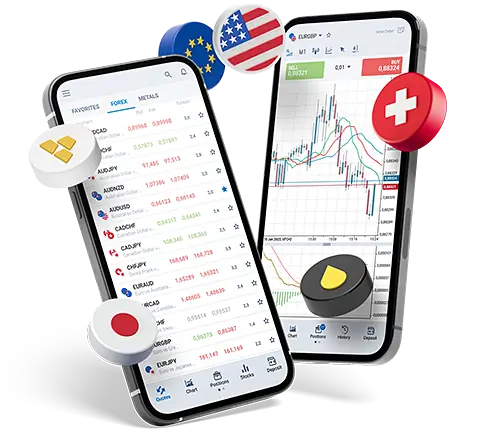
  1. Download  and install the Download MetaTrader 4 trading terminal to your computer;
  2. When you first start the program, the login screen of the metatrader demo account automatically pops up.

You can register the metatrader demo account not only through the interface of the program, but also through a form on the site. Opening a demo account using the form on RoboForex’s website has a number of advantages compared to opening a demo account in the terminal. Learn more on the advantages in the “Forex Demo Account” site section.

Once you have performed the steps above, launch online forex trading terminal and log in with the username (login) and password. The news feed and quotes will download in the trading terminal automatically. This data is sent to you in real time, but be aware it appears in the trading terminal only on Forex business days. Many beginners do not know this, and start writing to brokers complaining their trading terminal does not work.

The difference between MetaTrader 4 Demo Account and MetaTrader 4 Real Account

From a technical point of view, there is no difference between demo accounts and real accounts. All the features and functions of real and metatrader demo accounts are the same. The metatrader demo account uses the same trading platform, which includes tools for building graphical models and trend lines, technical analysis indicators, advisors and experts, which are completely identical to the features of the real account. Trading activities in a demo account are carried out just like in a real account. The only exception is that in a virtual account (demo account), money is virtual.

The main difference between a metatrader demo and live account is the psychological side of the trade. Trading your own money makes you worry much more than trading virtual money that you have in a demo account. When trading in the demo account, you do not have the sense that traders working with real accounts experience: greed, excitement, fear. For this reason, experienced traders recommend that beginners do not linger over the demo account, since it will be very difficult to switch to a real trade.

When to switch to a Real Trade?

You will feel the time when you should stop working in a metatrader demo account and start trading in a live account. This will be the point at which you realize that you possess the sufficient technical level of knowledge in Forex and you can safely start trading. Do not forget that a demo account can improve your intuition, but not your spirit.

What are the terms of working with a MetaTrader Demo Account?

Registration and use of a demo account are absolutely free. The purpose of the demo account is to give the beginner an opportunity to learn more about the work of the currency trader, while experienced traders have a chance to test a new strategy.

There are no restrictions on the number of demo accounts. You can open as many as you like, but keep in mind that all demo accounts inactive for 180 days are closed. The main reason is to reduce the load on a demo server by purging the database and providing active clients with stable work.